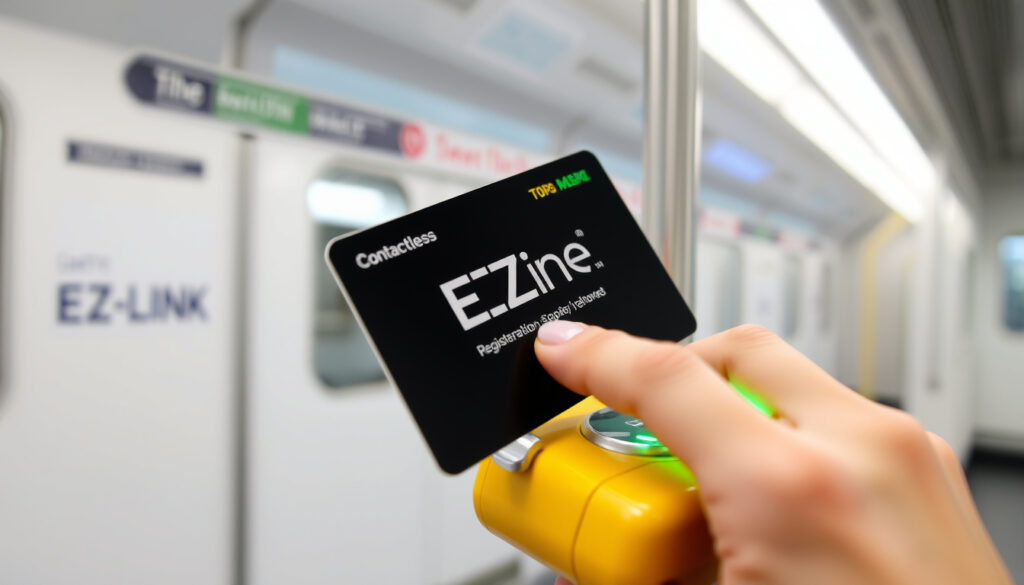
SimplyGo EZ-Link Card – How to Register, Top Up and Use
The SimplyGo EZ-Link card represents a significant evolution in Singapore’s contactless transit payment system. This upgraded card links traditional EZ-Link functionality with the modern SimplyGo account-based ticketing platform, enabling commuters to manage their cards digitally through a dedicated mobile application. The shift, coordinated by the Land Transport Authority and EZ-Link, moved public transport fare collection to backend accounting, improving transaction tracking and user convenience.
Unlike earlier stored-value cards requiring physical balance checks at fare gantries, the SimplyGo EZ-Link card stores payment information in the cloud. Users access their balance, view complete transaction histories, and reload funds through the SimplyGo app on NFC-enabled Android and iOS devices, as well as compatible wearables. This integration marks a transition in how Singaporeans interact with public transportation payments, consolidating multiple transit functions into a single digital ecosystem.
For commuters who rely daily on MRT lines, buses, and taxis across the island, understanding this transition becomes essential. The SimplyGo EZ-Link card maintains compatibility with all LTA-operated fare readers while introducing features designed to streamline the top-up process and eliminate the need to locate physical reload machines.
What is SimplyGo EZ-Link Card?
The SimplyGo EZ-Link card is an EZ-Link card that has been upgraded to operate within the SimplyGo account-based ticketing system. Instead of storing monetary value directly on the card itself, the SimplyGo EZ-Link card links to a user account where balance information and transaction records are maintained server-side. This fundamental architectural change enables digital management features that were not possible with legacy stored-value cards.
Key insights from the implementation include the seamless transition path available to existing EZ-Link holders, the elimination of physical reload machines for daily commuters, and the ability to generate detailed transaction records for expense claims or tax purposes. The system supports NFC-enabled smartphones, tablets, and compatible wearable devices, allowing users to manage their cards without visiting service counters.
| Fact | Details |
|---|---|
| Card Type | NFC contactless smart card |
| Ticketing System | SimplyGo account-based ticketing |
| Top-Up Channels | App, SimplyGo kiosks, ATMs, 7-Eleven stores, service centres |
| Balance Access | SimplyGo app or official SimplyGo portal |
| Automatic Reload | Visa or Mastercard registration required |
| Device Compatibility | NFC Android/iOS devices, wearables, charms |
The SimplyGo EZ-Link card maintains full interoperability with the existing transit infrastructure across Singapore. All Land Transport Authority-operated fare readers and gantries accept the card without modification, ensuring that commuters experience no disruption during the transition period.
How to Register an EZ-Link Card for SimplyGo?
Registering an existing EZ-Link card for the SimplyGo platform requires downloading the official SimplyGo application, available through both the Google Play Store and Apple App Store. The registration process establishes a link between the physical card and a user account, enabling the digital management features associated with account-based ticketing.
Setting Up Your SimplyGo Account
The first step involves creating an account within the SimplyGo application. Users provide basic information and link a bank card to enable future top-ups and automatic reload functionality. This bank card does not need to match the name on the EZ-Link card and serves purely as a payment method for reloading funds.
After account creation, the physical EZ-Link card must be paired with the digital profile. The pairing process utilizes NFC technology built into modern smartphones, requiring users to tap the card against the back of their device. The application confirms successful pairing with a notification, after which the card appears in the user’s dashboard alongside any previously registered cards or compatible devices.
Pairing Cards, Charms, and Wearables
Beyond standard EZ-Link cards, the SimplyGo system accommodates EZ-Link charms and NFC-enabled wearable devices. The pairing mechanism remains identical across device types: open the SimplyGo application, navigate to the card management section, and follow the on-screen instructions to tap the device against the smartphone. Each charm or wearable registers as a separate card within the same account.
Multiple EZ-Link cards and compatible devices can be registered to a single SimplyGo account, simplifying management for households with several commuters or users who carry multiple transit cards.
How to Top Up and Check Balance on SimplyGo EZ-Link Card?
Topping up a SimplyGo EZ-Link card differs substantially from the legacy reload process. Rather than inserting the card into a physical machine and loading cash, account-based ticketing allows users to reload funds through digital channels with the balance stored centrally rather than on the card itself.
Topping Up via the SimplyGo App
The primary method for adding funds involves the SimplyGo application’s top-up function. Users open the app, select the appropriate card from their dashboard, and choose the top-up option. The interface prompts users to select a reload amount, confirm payment details using the registered bank card, and authorize the transaction. Processing typically completes within moments, with the updated balance immediately reflected in the application.
Alternative reload channels exist for users who prefer not to use the mobile application. SimplyGo kiosks located at major transit hubs and service centres accept cash and card payments. Automated teller machines from DBS, POSB, and OCBC offer reload functionality, though transaction fees may apply depending on the financial institution. 7-Eleven convenience stores islandwide also provide reload services, excluding Shell-branded locations.
Setting Up Automatic Top-Ups
The automatic reload feature eliminates the need to manually initiate top-ups when funds run low. Users configure this option during account setup or subsequently through the application settings. When enabled, the system monitors the connected card’s balance and triggers a reload transaction using the registered Visa or Mastercard whenever the balance drops below a user-defined threshold.
Automatic top-ups require an active bank card on file. Users should ensure sufficient funds are available on the linked account to avoid failed transactions during automatic reloads.
Checking Your Balance and Transaction History
Balance information for SimplyGo EZ-Link cards displays exclusively through digital channels. Opening the SimplyGo application and selecting the registered card shows the current balance prominently at the top of the screen. The application also provides access to a complete transaction history, listing each fare deduction with timestamps, locations, and amounts charged.
Unlike traditional EZ-Link cards where tapping a fare reader would display the remaining balance on-screen, SimplyGo EZ-Link cards do not show balance information at fare gantries. This represents a notable change in user experience, making the mobile application or web portal the primary interface for balance verification.
Balance updates may experience brief delays immediately following a top-up transaction. For immediate balance confirmation before boarding, users should verify their balance in the application prior to arriving at the station.
EZ-Link vs SimplyGo: Key Differences and Benefits
Understanding the distinction between traditional EZ-Link cards and SimplyGo EZ-Link cards requires examining the underlying ticketing technology. Legacy cards operate using a stored-value system where monetary value resides directly on the card’s chip. SimplyGo EZ-Link cards utilize account-based ticketing, where the card serves as an identifier linking to funds held in a cloud-based account.
| Feature | Traditional EZ-Link | SimplyGo EZ-Link |
|---|---|---|
| Balance Display | Tap fare reader for on-card display | App or kiosk only |
| Transaction History | Not viewable without app pairing | Full history in SimplyGo app |
| Top-Up Methods | Physical machines and retail stores | App, auto-top-up, ATMs, stores |
| System Architecture | Card-stored value (CBT) | Account-based ticketing (ABT) |
| Fare Gantry Compatibility | Older gantries only | All modern LTA gantries |
| Digital Features | None without additional setup | Full app integration |
The benefits of upgrading to SimplyGo EZ-Link extend beyond convenience. Detailed transaction records prove valuable for commuters claiming transportation expenses through employers or tracking personal spending. The auto top-up functionality prevents unexpected card depletion during commutes, while integration with ERP and motoring payments consolidates multiple transportation costs into a single management interface.
Some users express concern about the inability to check balance by tapping fare readers. This limitation reflects the fundamental architectural shift from card-stored value to account-based systems. The trade-off involves accepting digital dependency in exchange for enhanced tracking capabilities and flexible reload options. For Singapore’s transit ecosystem, this transition supports more sophisticated fare analysis and reduces the operational complexity associated with managing distributed stored-value cards.
Concession Card Considerations
Students, senior citizens, and other concession card holders should note that SimplyGo EZ-Link versions of these cards follow similar registration and top-up procedures. Application submissions and card replacements for concession categories are processed through the official SimplyGo online services portal, where users can also manage existing concession benefits linked to their account.
Timeline: SimplyGo and EZ-Link Migration
The transition from traditional stored-value EZ-Link cards to account-based ticketing occurred across multiple phases, with the Land Transport Authority coordinating the rollout alongside EZ-Link and partner financial institutions. Understanding this timeline helps commuters contextualize the changes they have experienced and anticipate future developments. For more details on managing your SimplyGo EZ-Link cards, you can refer to this free invoice generator.
- — SimplyGo platform launched with initial mobile application release, enabling account creation and card registration for early adopters
- — Voluntary migration period begins, existing EZ-Link holders encouraged to register cards for SimplyGo access and explore app-based features
- — Expanded kiosk network and additional reload channels introduced to support growing user base
- — Land Transport Authority mandates full account-based ticketing for all newly issued EZ-Link cards, legacy card-stored value system phased out for new card issuance
- — SimplyGo application serves as central hub for EZ-Link management, with ongoing LTA updates to functionality and features
The timeline reflects a measured approach to modernization, prioritizing user education and infrastructure readiness before requiring widespread migration. By the time the mandate took effect in 2024, the SimplyGo ecosystem had matured sufficiently to support Singapore’s complete transition to account-based ticketing.
Established Facts and Remaining Uncertainties
The core functionality of SimplyGo EZ-Link cards rests on well-documented official sources, including the Land Transport Authority, SimplyGo, and EZ-Link publications. Several aspects of the system remain clearly established through these authoritative channels.
Confirmed Information
- SimplyGo EZ-Link cards use account-based ticketing architecture with cloud-stored balance
- Full compatibility with all LTA-operated fare readers and gantries
- Balance checking requires the SimplyGo app or official kiosk interfaces
- Auto top-up functionality requires registered Visa or Mastercard
- Transaction history accessible through the linked SimplyGo account
- Multiple cards and devices can register to a single account
Remaining Uncertainties
- Specific timeline for complete deprecation of legacy card functionality at fare readers
- Future fee structures for various reload channels beyond current promotions
- Expanded compatibility with additional wearable and accessory manufacturers
- Integration timeline for emerging payment platforms beyond Visa and Mastercard
Commuters seeking the most current information regarding these uncertainties should consult the official SimplyGo application and website directly, as LTA guidelines continue to evolve with the transit network’s ongoing modernization.
Understanding Singapore’s Transit Payment Evolution
Singapore’s adoption of account-based ticketing reflects broader trends in urban mobility management across Asia-Pacific metropolitan areas. The SimplyGo EZ-Link integration represents more than a technological upgrade; it establishes infrastructure capable of supporting dynamic fare structures, inter-modal transportation planning, and data-driven transit management.
The Land Transport Authority’s decision to coordinate the transition through existing EZ-Link infrastructure minimized disruption while introducing modern capabilities. Rather than requiring commuters to obtain entirely new cards, the migration path allowed existing cardholders to upgrade their current cards through simple registration, preserving the tactile familiarity of contactless payments while enabling digital functionality.
For urban planners, account-based systems offer granular insights into commuting patterns that card-stored value architectures cannot provide. Understanding when, where, and how frequently different population segments use public transit enables more precise resource allocation and infrastructure planning. The SimplyGo EZ-Link system positions Singapore to leverage these benefits while maintaining the convenience that has made contactless transit payments a daily habit for millions of residents.
Official Sources and Further Reference
Information regarding SimplyGo EZ-Link cards originates primarily from official channels maintained by the Land Transport Authority and its transit partners. The following sources provide authoritative guidance on registration procedures, feature documentation, and system updates.
The Land Transport Authority oversees the SimplyGo ecosystem, establishing guidelines for account-based ticketing implementation across Singapore’s public transit network. Users seeking official announcements regarding policy changes, system maintenance, or migration updates should consult LTA communications directly.
— Land Transport Authority, Official Publications
The official SimplyGo website serves as the primary consumer interface for account management, top-up processing, and card registration support. The companion mobile application, available through major app stores, provides the most immediate access to account features and balance information.
For technical support specific to EZ-Link cards operating within the SimplyGo system, the EZ-Link SimplyGo portal offers detailed guides covering registration, top-up procedures, and troubleshooting common issues encountered during the transition period.
Summary
The SimplyGo EZ-Link card bridges Singapore’s trusted EZ-Link transit payment infrastructure with modern account-based ticketing technology. Commuters who register their existing cards through the SimplyGo application gain access to digital balance management, transaction history tracking, and flexible top-up options including automatic reload functionality. The transition, coordinated by the Land Transport Authority and completed across phases between 2019 and 2024, maintains full compatibility with Singapore’s transit network while introducing capabilities designed for contemporary urban mobility needs.
For those exploring related Singapore technology and transportation topics, comprehensive coverage of the Loh Kean Yew Singapore Open – Results, Rankings and Updates and Singapore Telecom Share Price – Live Updates, Charts and Analysis provides additional context on developments shaping the city’s digital infrastructure.
Frequently Asked Questions
Can I use my existing EZ-Link card with the SimplyGo system?
Yes. Existing EZ-Link cards can be registered and linked to a SimplyGo account, converting them to operate within the account-based ticketing system with access to app-based balance checking and digital reload options.
How do I unlink my EZ-Link card from SimplyGo?
Users can remove the pairing by accessing their account settings within the SimplyGo application and selecting the option to unlink or remove the card. The physical card retains its balance and remains usable for transit, but account-based features including transaction history and auto top-up cease upon unlinking.
What happens to my balance when I convert to SimplyGo EZ-Link?
The balance transfers to your SimplyGo account rather than remaining stored on the physical card. After successful registration, the card accesses the cloud-based balance for fare payments while the SimplyGo application displays the current funds available.
Are there fees for using SimplyGo EZ-Link card?
Card issuance and basic account management through SimplyGo do not incur monthly charges. Some reload channels including certain ATMs and retail locations may apply transaction fees, though app-based top-ups and auto top-up configurations typically do not.
Which devices are compatible with SimplyGo EZ-Link card pairing?
NFC-enabled Android and iOS smartphones and tablets can pair with SimplyGo EZ-Link cards through the mobile application. Compatible EZ-Link charms and wearable devices also pair with the system for users who prefer not to carry a physical card.
How long does registration and card pairing take?
Account creation typically requires five to ten minutes. Card pairing through NFC tap takes only seconds once the account is established. Both processes complete entirely within the mobile application without requiring visits to service centres.
Can concession card holders use SimplyGo EZ-Link?
Yes. Concession versions of SimplyGo EZ-Link cards support the same digital features as standard cards. Application and management for concession categories occurs through the SimplyGo online services portal.
What should I do if my card stops working at fare readers?
Users experiencing issues should verify their balance through the application first. If sufficient balance exists, restarting the device and re-tapping the card may resolve temporary communication issues. Persistent problems can be addressed through SimplyGo customer support channels.
More related posts
 Muhammad Irshad Abdul Hameed: Maserati Crash Update
 Best Smart Home Hubs 2026: Expert Tested Top Picks
 Real Madrid vs Man City Standings: Head-to-Head & UCL Table
 What Is a Z Fold Phone? A Comprehensive Guide to Samsung’s Foldable
 Ling Ling by the Wine Company: Menu, Reviews & Tips
 Healing Touch Spa JB – Locations, Services, Prices & Reviews
 Best Car Insurance Singapore 2026: Top Quotes & Comparisons
 Van Houten Cocoa Powder: Quality, Origin & Dutch Process Guide
