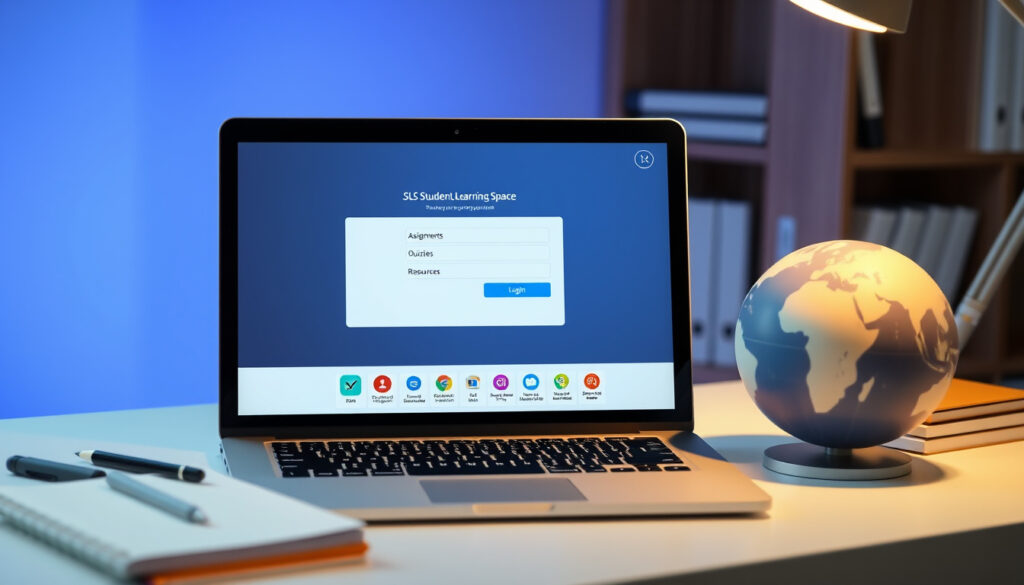
SLS Student Learning Space: Guide to Login and Features
If your child is enrolled in a Singapore school, chances are they’ve already spent time navigating the Student Learning Space — or SLS for short. This online hub sits at the centre of how the Ministry of Education delivers lessons, assignments, and interactive tools to students across the island. Whether you’re a parent trying to help with a login hiccup or a student just getting started, understanding what SLS offers (and how to access it) makes a real difference to the learning experience.
Developer: MOE Singapore · Core Purpose: Teaching and learning platform · Key Users: Singaporean students and teachers · Resources Type: Personalised, curriculum-aligned · Official Site: learning.moe.edu.sg
Quick snapshot
- MOE Singapore’s flagship digital learning platform (Ministry of Education Singapore)
- Developed in partnership with GovTech Singapore (SLS Official Learning Portal)
- Accessible on Windows, Mac, iPad, and Android tablets (Saint Andrew’s Junior School)
- Provides curriculum-aligned resources for primary to pre-university students (Ministry of Education Singapore)
- Exact development and operational costs not publicly disclosed
- Mobile app specifications remain limited in public documentation
- User adoption rates and active user statistics not released
- SLS launched as MOE’s core platform for teaching and learning
- Resources aligned with 21st Century Competencies development
- Ongoing updates and expansion of tools for students and teachers
- Platform continues to evolve with new interactive tools
- Enhanced personalisation features for individual learners
- Expanded teacher dashboard capabilities
The following key specifications summarise the platform’s operational parameters based on official documentation.
| Field | Value |
|---|---|
| Full Name | Student Learning Space |
| Operator | Ministry of Education (MOE) Singapore |
| Partner | GovTech Singapore |
| Primary URL | www.learning.moe.edu.sg |
| Target Users | Singapore students and teachers |
| Helpdesk Phone | (65) 6702 6513 |
| Helpdesk Email | helpdesk@sls.ufinity.com |
| Minimum Tablet Screen | Larger than 7 inches |
What is SLS Student Learning Space?
The Student Learning Space (SLS) is an online learning portal developed and managed by the Ministry of Education (MOE) Singapore in partnership with GovTech Singapore. It serves as the national platform providing equal access to quality, curriculum-aligned resources in major subjects from primary through pre-university level.
Overview from MOE
According to the Ministry of Education Singapore, the SLS represents one of the government’s key initiatives to transform learning experiences for Singaporean students. The platform delivers interactive content that supports both classroom instruction and self-directed learning outside school hours. Resources are designed to align with the development of 21st Century Competencies (21CC), equipping students with critical thinking, communication, and collaboration skills.
Key features
- Curriculum-aligned resources covering major subjects
- Interactive learning tools for students
- Teacher dashboard with tools to track student progress
- Personalised learning pathways based on individual student needs
- Access from multiple devices including Windows PCs, Macs, iPads, and Android tablets
For Singapore students, SLS levels the playing field — every enrolled student gets access to the same quality resources regardless of their school or socioeconomic background.
Who is the SLS learning space for?
The Student Learning Space is designed primarily for students enrolled in Singapore schools and the teachers who support their learning. Understanding the different user groups helps clarify what each segment can access and accomplish on the platform.
Students
Students from primary school through pre-university level use SLS to access learning materials, complete assignments, and engage with interactive content. Students from Singapore schools and educational institutions funded by the Singapore Government have access to the SLS platform, according to the Ministry of Education Singapore.
Teachers
Teachers have access to tools in SLS that help make students’ thinking processes visible, allowing for more targeted guidance and intervention. The platform provides educators with curriculum-aligned content that they can assign, modify, or supplement based on their class’s needs.
Eligibility
Beyond enrolled students, MOE provides access to SLS for young overseas Singaporeans aged 7 to 16 to help them keep in touch with the national curriculum. Students on Leave of Absence (LOA) from a Singapore school can request continued access to SLS through their school. Young overseas Singaporeans not on LOA can apply for SLS access through an application form on the MOE website.
This eligibility structure means SLS isn’t just for students physically present in Singapore schools — it deliberately maintains connections with overseas Singaporeans and those temporarily away from school.
How do I login to SLS?
Logging into SLS requires a valid username and password. Students can log in to SLS in two ways: through MIMS (Ministry of Education Management Information System) or through the existing SLS login page, depending on their student type and username format.
Student login steps
Follow these steps to access the platform:
- Open your browser and navigate to the primary login URL at https://learning.moe.edu.sg or the alternative access point at https://vle.learning.moe.edu.sg/login
- Identify your student type to determine the correct login method (primary students use SLS Existing Login Page; secondary and JC/CI students use MIMS login)
- Enter your credentials: SLS username and password for the existing login page, or school-issued MIMS credentials if using the MIMS option
- For first-time users: activate your account by clicking “Login with SLS,” entering your username and One-Time Password, then change your password when prompted (enter new password twice)
- Review and confirm your Security Question answers to complete account verification
The MIMS username and default password are printed on a sticker and provided to students through their form teacher at the start of the school year.
| Student Type | Login Method | Notes |
|---|---|---|
| Primary students | SLS Existing Login Page | Enter SLS username and password |
| Secondary and JC/CI students | MIMS login option | Uses school-issued MIMS credentials |
| Users with SLS-XXX username format | SLS Existing Login Page | MIMS not applicable |
First-time activation
First-time SLS users must activate their account before logging in with MIMS by clicking “Login with SLS” and entering their username and One-Time Password. During the first login, users will be prompted to change their password — users must key in their new SLS password twice when changing it. After the password change, users must review their answers to Security Questions to verify account ownership.
The MIMS username and default password are printed on a sticker and provided to students through their form teacher at the start of the school year.
Troubleshooting
- Forgotten password: Security Questions are required to reset SLS password via self-help or by calling the SLS Helpdesk
- Account locked: Contact the SLS Helpdesk at (65) 6702 6513 or email helpdesk@sls.ufinity.com
- Browser issues: Ensure you’re using a supported browser (Google Chrome 128+, Microsoft Edge 128+, or Safari 17+)
App login
SLS can be accessed through internet browsers on tablets with screen size larger than 7 inches. The recommended browser for Windows 10 and later is Google Chrome 128 and later or Microsoft Edge 128 and later. For Mac OS 13 and later, Safari 17 and later or Google Chrome 128 and later are recommended. iPadOS 17 and later users should use Safari 17 and later or Google Chrome 128 and later, while Android 13 and later users require Google Chrome 128 and later.
If your username starts with SLS-XXX, you must log in via the SLS existing login page rather than MIMS — attempting MIMS login will not work for this username format.
What does SLS mean in school?
Understanding the acronym and its role in Singapore’s education system helps contextualise why SLS matters to students, parents, and educators alike.
Full name and context
SLS stands for Student Learning Space. It is MOE’s core platform for teaching and learning and represents one of MOE’s key initiatives to transform the learning experiences of Singaporean students. The platform was designed to ensure that all students, regardless of their school, have access to consistent, quality digital learning resources.
Role in Singapore education
The SLS fills a critical gap in Singapore’s education infrastructure by providing a unified digital learning environment across all government-funded schools. Rather than each school developing its own materials, SLS centralises curriculum-aligned resources that teachers can assign and students can access at school or home.
What is SLS used for?
The platform serves multiple functions for both students and teachers, supporting everything from daily lesson activities to self-directed learning and assessment.
Learning resources
The SLS provides curriculum-aligned resources in major subjects from primary to pre-university level. These resources include interactive lessons, practice exercises, multimedia content, and assessments designed to reinforce learning objectives. According to the Ministry of Education Singapore, the portal delivers equal access to quality resources across all participating schools.
Tools for teachers
Teachers access a dedicated dashboard within SLS that allows them to assign work, track student progress, and identify areas where students may need additional support. The platform includes tools that help make students’ thinking processes visible, enabling more informed instructional decisions.
Personalised learning
One of SLS’s key strengths is its ability to support personalised learning pathways. Students can work through content at their own pace, revisit challenging topics, and access supplementary materials tailored to their learning needs. This personalisation aligns with MOE’s broader goals of developing 21st Century Competencies in students.
“SLS is one of MOE’s key initiatives to transform learning experiences, providing every student with access to quality, curriculum-aligned digital resources.”
— Ministry of Education Singapore (national education authority)
“SLS allows teachers to make students’ thinking processes visible, enabling more targeted guidance and intervention during lessons.”
— GovTech Singapore (platform development partner)
Related reading: Part Time Weekend Jobs in Singapore: 1,911 Openings · Digital Marketing Jobs in Singapore: 2026 Salaries & Openings
docdroid.net, manjusrisec.moe.edu.sg, farrerparkpri.moe.edu.sg, learning.moe.edu.sg, moe.gov.sg, yunengpri.moe.edu.sg, stanthonyspri.moe.edu.sg, tutorcity.sg, youtube.com
Frequently asked questions
What devices support SLS Student Learning Space?
SLS supports Windows PCs (Windows 10+), Macs (Mac OS 13+), iPads (iPadOS 17+), Android tablets (Android 13+), and Chromebooks (ChromeOS 128+). The recommended browsers are Google Chrome 128+, Microsoft Edge 128+, and Safari 17+. Tablets must have a screen size larger than 7 inches.
Is there a cost for SLS?
SLS access is provided free of charge to all students enrolled in Singapore government-funded schools. Young overseas Singaporeans may need to apply through MOE’s website, and access terms may vary for non-enrolled applicants.
How to reset SLS password?
You can reset your SLS password through the self-help portal using your security question answers. Alternatively, contact the SLS Helpdesk at (65) 6702 6513 (Monday to Friday 4pm to 9pm on school days, 9am to 9pm during school holidays, Saturday 9am to 3pm) or email helpdesk@sls.ufinity.com.
What resources are available in SLS?
SLS contains curriculum-aligned resources in major subjects for primary through pre-university levels, including interactive lessons, practice exercises, multimedia content, and assessments. Resources are aligned with the development of 21st Century Competencies.
Can parents access SLS?
Parents do not have direct student accounts on SLS. However, students can share their learning progress with parents, and schools may communicate SLS-related information to parents through official channels.
What is SLS Learning app?
SLS is primarily a web-based platform accessed through internet browsers. The platform is optimised for tablet use with screens larger than 7 inches. Specific mobile app availability may vary, so students should check with their school for the most current access options.
How does SLS integrate with school curriculum?
SLS resources are directly aligned with Singapore’s national curriculum standards. Teachers assign work through SLS that corresponds to current classroom instruction, and students complete assessments that teachers can monitor and grade within the platform.
For Singapore families navigating the education system, SLS has become an essential daily tool. The platform’s unified approach means students move between schools without losing access to their learning materials — their SLS account follows their enrollment. With support available through the dedicated helpdesk, getting help when needed is straightforward. The real value emerges when students actively engage with the personalised features: working through differentiated materials, revisiting concepts they found challenging, and building the digital skills that 21st Century Competencies demand.
More related posts
 The Coffee Bean & Tea Leaf Photos: Menu, Dress Code, and More
 English to Tagalog Translation: Best Tools & Grammar Tips
 Bokep Update Tiap Hari: Latest Verified Info & Top Sites
 7-Eleven Near Me: Store Locator, Hours, and Global Facts
 UOB Points to Miles: Conversion Rates & How-To Guide
 আজকের সিঙ্গাপুর নামাজের সময় ২০২৪-২০২৬ | পাঁচ ওয়াক্ত সময়সূচী
 Valentino Born In Roma Intense – Sophisticated Woody Fragrance Guide
