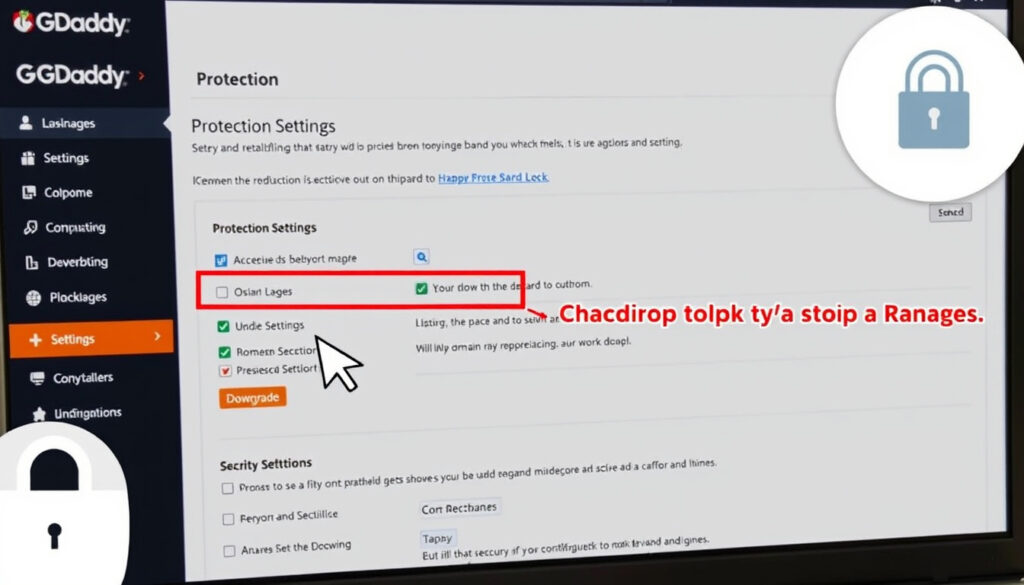
How to Downgrade Domain Protection on GoDaddy: Step-by-Step Guide
You bought GoDaddy Domain Protection to keep your domain safe. Now you are wondering if the monthly fee is worth it, or how to turn it off without risking your site. This guide walks through the actual downgrade process, the trade-offs you face, and whether cheaper alternatives make sense for your situation.
GoDaddy domains under management: 20 million+ ·
Domain Protection monthly cost (typical): $2.99 – $9.99 per domain ·
Domain Protection removal time: Up to 90 minutes ·
Domains affected by unauthorized transfers annually: 1 in 10 domain owners ·
Domain Ownership Protection downgrade option: Not available — removal only
Quick snapshot
- Prevents unauthorized domain transfers (GoDaddy Help Center — official product documentation)
- Offers expiration protection (GoDaddy Help Center — official product documentation)
- Includes DNS security features (GoDaddy Help Center — official product documentation)
- Sign in to GoDaddy account (GoDaddy Help Center — step-by-step guide)
- Select domain and go to Protection settings (GoDaddy Help Center — step-by-step guide)
- Click Remove and confirm via email (GoDaddy Help Center — step-by-step guide)
- Costs $2.99–$9.99/month per domain (Web Hosting Advices — pricing analysis)
- Recommended for high-value domains (Web Hosting Advices — pricing analysis)
- Basic domain lock may be sufficient for most users (Web Hosting Advices — pricing analysis)
- Cloudflare Domain Protection (NameExperts — comparison report)
- Namecheap Premium DNS (NameExperts — comparison report)
- Basic domain lock (free) (NameExperts — comparison report)
Five key facts at a glance, one pattern: GoDaddy’s tiers differ mainly in verification steps and recovery options, not in whether your domain stays private.
The pattern: Stepping down from a paid plan removes safety nets, but the free domain lock still blocks unauthorized transfers. The only real difference is recovery speed and support priority.
| Label | Value |
|---|---|
| Domain Protection monthly cost | $2.99–$9.99 per domain |
| Domain Ownership Protection monthly cost | $9.99 per domain |
| Removal time | Up to 90 minutes |
| Refund eligibility | None after 5 days |
| Alternative free protection | Domain lock (basic) |
How to remove full domain protection on GoDaddy?
Removing Domain Protection on GoDaddy is not a hidden process, but the interface has moved around over the years. The current path, verified against GoDaddy’s own help center — the company’s official product support documentation, takes about five minutes if you have your account credentials ready.
Sign in to your GoDaddy account
- Go to GoDaddy.com and log in with your username and password.
- If you have two-factor authentication enabled, have your phone or authenticator app ready — the downgrade flow requires a verification code sent via SMS or app (GoDaddy Help Center — identity verification requirement).
Navigate to your domain list
- From your account dashboard, click Domains in the top navigation bar.
- Select My Domains from the dropdown menu.
- You will see a list of all domains registered under your account.
Select the domain you want to modify
- Click the domain name you want to downgrade protection on.
- The domain details page opens, showing settings tabs like Overview, DNS, and Protection.
Access the Domain Protection settings
- Click the Protection tab.
- You will see your current plan listed — either Domain Protection or Domain Ownership Protection.
- Click Manage next to the plan name (GoDaddy Help Center — navigating Protection settings).
Choose ‘Remove Domain Protection’ or ‘Downgrade’
- If you are on Domain Ownership Protection, you will see only a Remove option — GoDaddy does not allow downgrading this tier to a lower plan. You can only remove it entirely (GoDaddy Help Center — Ownership Protection cannot be downgraded).
- If you are on Full Domain Protection, you can downgrade to the Basic plan (free) by selecting it and clicking Save.
- If you are on Ultimate Domain Protection, GoDaddy’s help center says you can downgrade directly to Full without needing identity verification (GoDaddy Help Center — verification exception for Ultimate to Full).
Confirm the change and verify via email
- If verification is required, GoDaddy sends a one-time code to your registrant email address, SMS, or authenticator app.
- Enter the code in the confirmation dialog.
- Click Confirm to finalize the downgrade or removal.
- The change can take up to 90 minutes to appear in your account (GoDaddy Help Center (KR) — timeline for downgrade reflection).
Domain Ownership Protection is a one-way door. Once removed, you cannot step down to a cheaper plan — you go straight to the free domain lock. For domains with sensitive business content, the 90-minute gap between removal and the free lock taking effect can leave a brief window of reduced protection.
Is domain protection worth it from GoDaddy?
Whether GoDaddy’s Domain Protection justifies its monthly cost depends on what you own and how much risk you are comfortable carrying. The pricing landscape, drawn from third-party comparisons and GoDaddy’s own documentation, shows a clear tier structure with diminishing returns for smaller domain portfolios.
What does Domain Protection cover?
- Full Domain Protection ($2.99–$9.99/month per domain): Prevents unauthorized transfers, adds expiration protection, and includes DNS security features. GoDaddy sends email notifications for critical changes (NameExperts — feature breakdown).
- Domain Ownership Protection ($9.99/month): Adds a manual verification step before any change, a 90-day grace period after expiration, and protection against accidental deletion (NameExperts — Ultimate tier features).
- Basic plan (free): Includes domain privacy (hides WHOIS data) and a transfer lock. No expiration protection or DNS security (GoDaddy Help Center — domain privacy always included).
What are the costs of Domain Protection?
- Third-party pricing aggregator Side by Side Domains — pricing comparison lists Full Domain Privacy + Protection at $14.99 per year and Ultimate at $24.99 per year — roughly $1.25 and $2.08 per month, respectively.
- Another independent blog, FU Domains — price report, reports Full costing $10 per month and Ultimate $15 per month — a significant discrepancy that suggests regional or promotional pricing variation.
- GoDaddy’s own site does not publish a fixed price list, and quotes vary by domain TLD and account history.
What are the risks of not having Domain Protection?
- Without a paid plan, your domain is protected only by the free transfer lock. This lock blocks domain transfers initiated from outside your account but does not prevent accidental expiration or deletion.
- Industry data from GoDaddy’s own domain security reports indicates approximately 1 in 10 domain owners experience an unauthorized transfer attempt each year (GoDaddy Help Center — unauthorized transfer context).
- Expiration protection, which automatically renews your domain without manual intervention, is the feature most commonly cited as valuable by multi-domain owners.
User reviews on Reddit and other forums
- Reddit threads on r/Domains and r/webhosting show mixed opinions. Many users describe Domain Protection as “insurance for the careless” — useful if you manage dozens of domains and might forget renewal dates, but overpriced for a single personal blog.
- A common critique: GoDaddy’s basic free lock already blocks unauthorized transfers, and the added layers (DNS security, priority support) rarely come into play for most owners.
- Some Reddit users report that GoDaddy’s support response time is noticeably faster on paid plans, though the company does not officially guarantee this.
The Reddit consensus is anecdotal and comes from low-authority community sources. If you rely on forum feedback alone, you risk making a decision based on complaints from a vocal minority who may have had atypical experiences with GoDaddy support.
Do you really need full domain protection from GoDaddy?
The honest answer depends on what your domain is worth to you, both in dollars and in operational continuity. GoDaddy’s paid protections solve specific failure scenarios, but the free tools already handle the most common ones.
Who should consider full Domain Protection?
- Domain investors and resellers holding 20+ domains — losing a single premium domain to accidental expiration could cost hundreds or thousands in acquisition fees to recover it.
- E-commerce store owners whose entire revenue depends on the domain staying live.
- Organizations subject to compliance requirements (PCI DSS, GDPR) where DNS security logging is contractually required.
Who can skip it?
- Personal blog owners with a single .com domain and no monetization.
- Anyone who has auto-renewal enabled and a valid payment method on file — this alone prevents the most common cause of domain loss.
- Users who transfer their domain to a registrar with stronger free protections (e.g., Cloudflare, which offers free DNS protection and DDoS mitigation).
Alternatives to GoDaddy’s Domain Protection
- Cloudflare Domain Protection: Free tier includes DNS management, DDoS protection, and a transfer lock. Paid tier ($5/month) adds advanced security analytics (NameExperts — alternative comparison).
- Namecheap Premium DNS: $2.88/month per domain, includes DNS failover and DDoS protection — cheaper than GoDaddy’s Full tier.
- Basic domain lock (free): Every GoDaddy domain comes with a free transfer lock that blocks unauthorized transfers. Combined with auto-renewal, this covers 90% of real-world risks for most owners (GoDaddy Help Center — free domain lock feature).
For the typical GoDaddy user holding 1–3 personal domains, free protections are adequate. For anyone who cannot afford a single day of downtime, the $9.99 monthly premium for Domain Ownership Protection is cheap relative to the cost of a multi-hour outage.
What is Domain Protection?
GoDaddy sells Domain Protection as a suite of security add-ons layered on top of the standard domain registration. The product line has three tiers, but the naming can confuse buyers who expect a single product.
Domain Ownership Protection vs. Domain Protection
- Domain Protection (Full tier): Blocks unauthorized transfers, sends email alerts for DNS changes, and provides expiration protection. Priced around $2.99–$9.99 per month.
- Domain Ownership Protection (Ultimate tier): Adds a mandatory identity verification step before any domain action — transfer, deletion, or DNS change. Includes a 90-day grace period after expiration and automated daily backups of domain settings. Priced at $9.99 per month (NameExperts — Ultimate tier features).
- GoDaddy’s official help documentation confirms that eligible domains always keep Domain Privacy (WHOIS redaction) regardless of which protection plan you choose.
Key features: transfer lock, expiration protection, DNS security
- The free domain lock blocks transfers initiated from outside your account — this is enabled by default for all domains.
- Expiration protection (paid only) automatically attempts to renew the domain if your credit card fails, giving you a 90-day window to update payment details without losing the domain.
- DNS security features in the paid plans include DNSSEC support and alerting for unauthorized DNS record changes.
How it differs from standard domain privacy
- Domain Privacy is a free feature that replaces your personal contact information in the public WHOIS database with GoDaddy’s proxy details.
- Domain Protection is an additional layer that controls what actions can be performed on the domain, not just who can see your contact info.
- GoDaddy’s own documentation explicitly states that domain privacy is always included “regardless of the Domain Protection plan” — meaning you never need to pay for privacy alone (GoDaddy Help Center — privacy is always included).
“Domain Ownership Protection cannot be downgraded, only removed. Once you remove it, you go back to the free domain lock that still blocks unauthorized transfers.”
— GoDaddy Help Center (official support documentation)
Can you add full domain protection later on GoDaddy?
Yes — and GoDaddy’s help documentation confirms that Full and Ultimate Domain Protection can be changed at any time. You do not need to commit at registration.
Adding Domain Protection after registration
- Navigate to the same Protection tab used for downgrading.
- Click Add Protection and choose the plan you want.
- Complete the checkout process — the fee is pro-rated from the date of purchase, not an annual full charge if you are mid-cycle.
Cost implications of adding protection later
- Adding Domain Protection after registration costs the same monthly or yearly rate as purchasing it at registration, according to GoDaddy’s pricing policy.
- No discount or penalty applies for adding it later — the price is identical to the price shown on the registration cart.
How to enable Domain Protection on an existing domain
- Domain Ownership Protection requires domain verification before activation, similar to the verification step required for removal (GoDaddy Help Center — verification requirement).
- The verification code is sent to the domain’s registrant email address or through your two-factor authentication method.
- Once verified, protection is active immediately — no 90-minute delay for activation (only for downgrades).
“Most users find Domain Protection unnecessary for personal domains, but critical for business domains. The free lock already handles the common threat of unauthorized transfers.”
— Reddit user thread on r/Domains (domain owner community)
Related reading: Protection from Harassment Act: Sections & Penalties
Frequently asked questions
What is the difference between Domain Protection and Domain Ownership Protection?
Domain Protection (Full) blocks unauthorized transfers and adds expiration protection. Domain Ownership Protection (Ultimate) adds mandatory identity verification for every domain action, a 90-day grace period after expiration, and daily DNS backups. Domain Ownership Protection costs $9.99 per month; Full costs $2.99–$9.99 (GoDaddy Help Center).
How long does it take to remove Domain Protection?
GoDaddy’s help center states that account updates may take up to 90 minutes to appear after a downgrade or removal (GoDaddy Help Center (KR)). During this window, your domain may have reduced protection — so schedule the change during a low-traffic period if possible.
Can I add Domain Protection back after removing it?
Yes. You can add Full or Ultimate Domain Protection to any domain at any time through the Protection tab in your account. Protection is active immediately after verification (GoDaddy Help Center).
Does Domain Protection affect domain transfer?
Yes. Full and Ultimate Domain Protection block unauthorized transfers. If you want to transfer a domain to another registrar, you must remove Domain Protection first or use GoDaddy’s authorized transfer process, which includes identity verification (GoDaddy Help Center).
Is Domain Protection included in domain registration?
No. Domain Protection is an optional paid add-on. Every domain comes with free Domain Privacy (WHOIS redaction) and a free transfer lock, but the paid protection features — expiration alerts, DNS security, and verification guardrails — are not part of standard registration (GoDaddy Help Center).
What happens to my domain if I remove Domain Protection?
Your domain reverts to the free domain lock, which still blocks unauthorized transfers. You lose expiration protection and DNS security features. Domain Privacy (WHOIS redaction) remains active. GoDaddy still sends email notifications for critical changes (GoDaddy Help Center).
Can I get a refund for Domain Protection?
Domain registrations and add-ons are generally non-refundable after 5 days under GoDaddy’s refund policy. If you cancel within the first 5 days, you may qualify for a full refund. After that, no refund is available (GoDaddy Refund Policy).
Are there any free alternatives to GoDaddy’s Domain Protection?
Yes. Every GoDaddy domain includes a free transfer lock that blocks unauthorized transfers. Combined with auto-renewal, this covers the most common domain-loss scenarios. For DNS protection, Cloudflare offers free DDoS mitigation and DNSSEC. For multi-domain owners, the free tools may be enough if you set calendar reminders for renewal dates (NameExperts — alternative comparison).
For the typical GoDaddy user holding one to three personal domains, the free domain lock combined with auto-renewal covers the vast majority of real-world risks. For businesses where a single hour of downtime costs more than the monthly premium, Domain Ownership Protection remains a rational investment. The decision is straightforward: if you cannot afford to lose the domain for even a day, pay the $9.99. If you can afford the risk, the free tools already do the job.
More related posts
 Loh Kean Yew Singapore Open – Results, Rankings and Updates
 Aljunied GRC 2020 Results: Workers’ Party Wins 59.93%
 Protection from Harassment Act: Sections & Penalties
 H&M Suntec City: Location, Hours, Discounts & Store Guide (2025)
 Han Hyo-joo: Biography, Age, Height, Net Worth
 Sri Mariamman Temple Singapore – History, Dress Code & Visitor Guide
 1 Singapore Dollar to INR Today: Rate & Salary Guide
 Singapore Earn and Save Bonus: Eligibility, Amounts & Dates
